
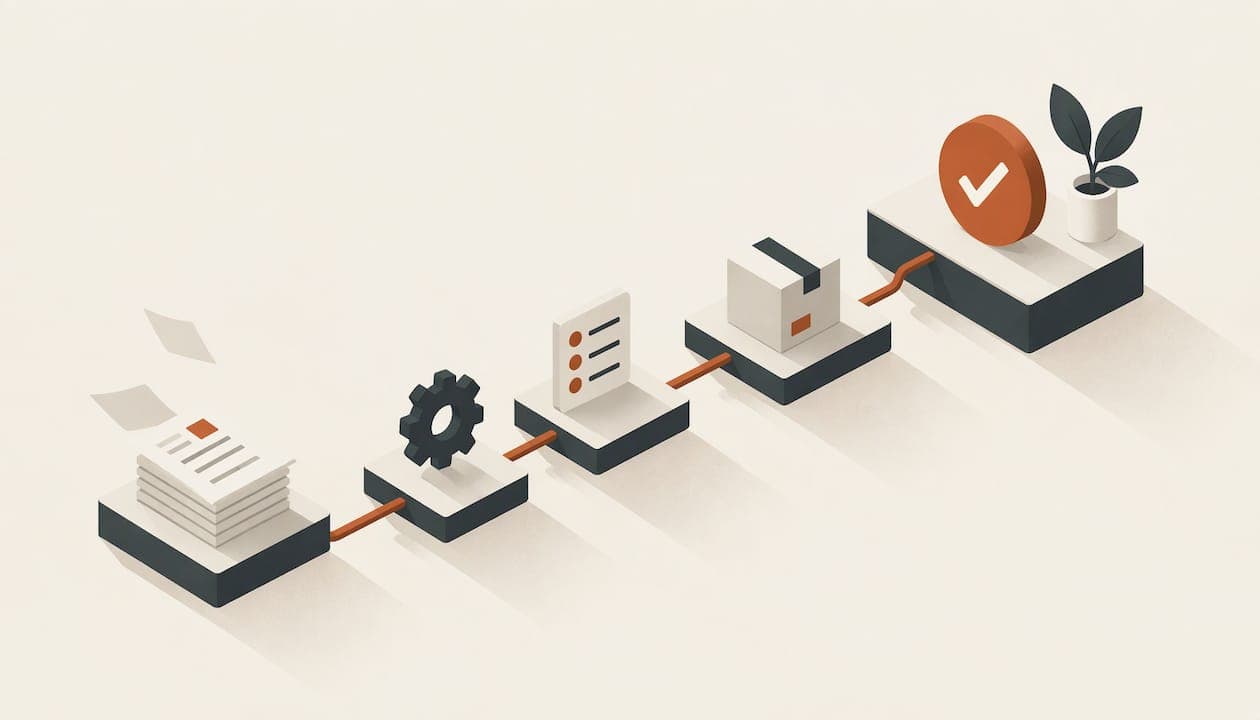
Small business workflow automation means letting software move a repetitive task forward by rules, so nobody copies data, chases replies or sends the same reminder by hand. The best way to start is one clear workflow with obvious rules, and client scheduling is one of the easiest. Pick it, map it, automate it, test it and measure it before you move on to the next.
This guide shows you how to choose what to automate, how to set it up step by step, what to watch for under Spanish and EU data-protection rules, and how to tell whether it worked.
TL;DR
- Automate one workflow at a time. Choose a task with clear rules and clean data, such as booking meetings, confirmations and reminders.
- Workflow automation handles a defined sequence of tasks. Business process automation covers a whole end-to-end process across teams. Most small businesses need the first.
- Map the current process, name a single source of truth (your calendar), test before going live, then switch on in phases.
- Booking tools handle personal data, so GDPR and Spain's data-protection law apply. Keep a person in charge of exceptions.
- Measure time per task, volume, errors and cost before and after, so you can see the gain.
Table of Contents
- What workflow automation means for a small business
- Which tasks are worth automating first
- Start with scheduling: the fastest win
- How to map, set up and test a workflow
- Paid bookings: automating the payment step
- What it costs
- Where Spanish small businesses stand
- Data protection when you automate bookings
- How to measure whether it worked
- Our perspective
- Try it on your own calendar
- FAQ
- Sources
What workflow automation means for a small business
A workflow is a known sequence of steps: a client asks for a meeting, you offer times, they pick one, you confirm, you remind them. Automation hands those steps to software. The Stepwise guide to process automation for Spanish SMEs describes it as connecting tools such as CRM, email, invoicing, spreadsheets or WhatsApp so a repetitive task advances without anyone copying data by hand. It also stresses that you are not automating the whole company. You choose one specific flow, measure it and decide which exceptions a person must review.
That last point is what keeps small automations reliable. A rule handles the normal case. A person handles the odd one.
Task, workflow and process automation
The three terms are often mixed up, so here is a simple way to separate them.
| Level | What it covers | Small business example |
|---|---|---|
| Task automation | One isolated action | Sending a confirmation email |
| Workflow automation | A logical sequence of connected tasks | Booking, confirming, reminding and updating the calendar |
| Business process automation | An end-to-end process across teams and systems | Lead to quote to contract to invoice to reporting |
Asana's 2026 guide draws the same line between a single action and a connected sequence. It notes that the first improves individual productivity and the second improves how the organization runs. Cogniver recommends workflow automation for a local bottleneck, and the broader process approach when a problem crosses departments or carries compliance, data or operational risk.
For a team of one to twenty people, that usually points to the middle row. Fix the bottleneck in front of you before you redesign the company.
Which tasks are worth automating first
The strongest candidates share two traits: clear rules and well-structured data. Spain's official digital-support portal Acelera pyme makes this point in its RPA guide for SMEs. It lists data collection and processing, reporting, invoicing, accounting-related work, invoice management and inventories as repetitive processes that suit automation. It also says that work needing a lot of judgement, or fed by poor-quality inputs, is a weaker fit.
Use this quick filter on any task:
- Does it happen at least weekly?
- Can you write the rule in one sentence?
- Is the input data consistent?
- Does a mistake cost you time or money?
- Can a person step in when something unusual happens?
Three or more yeses make it a good candidate. Typical examples:
- Meeting and appointment scheduling. Clear rules (your hours, buffers, meeting length), structured data (name, email, time) and a visible cost when it goes wrong (double bookings, no-shows).
- Invoicing and payment collection. Fixed amounts, fixed triggers.
- Client reminders and follow-ups. Same message, same timing, every time.
- Reporting. Pulling the same figures every week.
Start with scheduling: the fastest win
Scheduling is where many consultants, freelancers and small teams lose the most hours to something that follows rules. The email ping-pong of "Does Tuesday at 4 work?" is a workflow, just a manual one. It has a trigger (a request), a rule (your real availability), an output (a confirmed slot) and follow-up actions (reminder, calendar update).
What an automated booking workflow does
A good setup covers the whole sequence:
- Shows only the times you are actually free, based on every calendar you use.
- Lets the client choose a slot on a page with your branding.
- Confirms the booking by email straight away.
- Sends reminders before the meeting.
- Collects payment if the service is paid.
- Adds the meeting to your calendar, with a video link if needed.
This is what we built RSViP Online to do. You connect multiple calendars, set your availability, and the software checks all connected calendars in real time so the same slot is never booked twice. You can create several availability schedules, add date overrides for holidays, set buffers between meetings and define different meeting types with their own length.
Settings that make the automation trustworthy
When you automate availability, check these before you share your link:
- Every calendar is connected. A personal calendar left out is how double bookings happen.
- Buffers. Travel time, a coffee, or prep for the next call.
- Minimum notice. Decide how late someone can book.
- Date overrides. Public holidays, vacation days, a half-day.
- Time zones. Clients in other countries should see times in their own zone while your calendar stays in yours.
- Meeting types. A 20-minute intro and a 90-minute workshop should not share one rule set.
You can see the full list on the features page, and the how it works page walks through the path from calendar to booking link.
Confirmations and reminders
Automatic confirmations and reminders are what turn a booking page into a real workflow. A tool that lets customers book at any hour and sends confirmations and reminders can cut scheduling conflicts and no-shows, as GoDaddy's small-business guide points out. Define who gets which message, when, and from which address, and keep the wording short and clear.
One rule worth borrowing from Spanish automation practice: a meeting counts as confirmed only when it is recorded in the authoritative calendar. That is your source of truth. If the booking tool and your calendar disagree, the calendar wins, which is why real-time conflict checks across all connected calendars matter.
Teams and several brands
If several people are involved, coordination is the bottleneck. A team scheduler finds times that work for everyone instead of a chain of emails. If you run more than one brand or practice, you can manage them from one account, each with its own booking page and branded domain.
Different professions use the same logic with their own details. See how it applies to consultants, coaches, agencies and recruiters scheduling interviews.
How to map, set up and test a workflow
Acelera pyme's official guidance gives a sequence that works well at small scale: identify candidate processes, assess whether the rules and data are clear, choose a tool that is simple and affordable, design the workflow, build it in a test environment, test it, run a controlled pilot, then let it run on its own while you monitor and improve. Here is that sequence applied to booking.
Step 1: Map what happens today
Write down every step from first request to meeting done. Note who does each step, how long it takes and where it goes wrong. Be honest about the exceptions: urgent clients, reschedules, cancellations.
Step 2: Fix the process before you automate it
Automating a messy process only makes the mess faster. If you offer eleven meeting formats nobody can tell apart, reduce them to three first.
Step 3: Choose your source of truth
Decide which calendar is authoritative and connect it. Everything else reads from it.
Step 4: Build it
Set up your availability, meeting types, buffers, confirmation and reminder emails, and, if you charge, payment. Keep the first version simple.
Step 5: Test with yourself and a colleague
Book, reschedule and cancel several times. Try a slot that clashes with another calendar. Confirm the emails read well and show the right time zone. While you validate, use your own addresses and not real clients.
Step 6: Pilot, then go live in phases
Share the link with a few trusted clients first. When it works, put it in your email signature, your website and your proposals.
Step 7: Review after a month
Look at the numbers (see below) and adjust. Implementation time depends on how complex the process is. According to Acelera pyme, simple processes can take days or weeks and complex ones months. A booking page usually sits at the simple end.
Paid bookings: automating the payment step
If you charge for consultations, sessions or workshops, the payment is part of the same workflow. Take it at the moment of booking, so the slot is held by a client who has committed. RSViP Online supports paid bookings through Stripe, so the client books and pays in one flow. Our platform fee on successful paid appointments is 2%, on top of the subscription, as listed on the pricing page.
What it costs
The pricing is flat, with every feature in one plan and no tiers:
| Item | Price |
|---|---|
| RSViP Online, monthly | €10 per month |
| RSViP Online, yearly | €108 per year |
| Employee licence, monthly | €10 per month per licence |
| Employee licence, yearly | €108 per year per licence |
| Additional administrator | €5 per month |
| Paid bookings platform fee | 2% |
Because nothing is locked behind a higher plan, you can set up the full workflow from day one: multiple calendars, branded domain, reminders, team time-finding and payments.
Public support in Spain
Spain has run public programmes to help small businesses digitalize. Acelera pyme's Kit Digital page says the programme supported digital solutions including process automation, and lists up to €4,000 for the "Gestión de procesos" category. That page covers the 2021–2025 period, so check Acelera pyme for whatever support is open now.
Where Spanish small businesses stand
You are not behind if you still do much by hand. The Excelia DIGITAL PULSE 2025 report found that 44.44% of surveyed companies in Spain combine manual tasks with automated processes, 23.46% say most of their processes are automated, and only 7.41% report fully automated, data-driven operations. About a quarter, 24.69%, describe their processes as mainly manual.

The ONTSI report on SME digitalization 2024 adds that, based on 2023 data, companies with ten or more employees lead in using AI solutions that automate workflows (37.2%), a gap of 15 percentage points over microenterprises. For a freelancer or a small team, that means a simple, well-chosen tool is a real advantage rather than a catch-up exercise.
Data protection when you automate bookings
A booking system collects names, emails and sometimes sensitive context about why someone is meeting you. That is personal data, and automating it does not remove your responsibilities. Spain's data-protection authority explains in its step-by-step guide for SMEs and the self-employed that a business or self-employed person processing personal data is responsible for it and must apply the GDPR and Spain's Organic Law on Data Protection and Guarantee of Digital Rights. It points to a record of processing activities, information clauses, a data-processing agreement with providers and suitable security measures as key requirements.
Practical steps:
- Tell clients on the booking page what data you collect and why.
- Sign or accept a data-processing agreement with each tool provider.
- Send reminders only in line with what clients agreed to.
- Collect only the fields you need for the meeting.
For help preparing the paperwork, the AEPD recommends its FACILITA_RGPD tool for lower-risk SME processing, covering processing records, information clauses, processor-contract clauses and security measures. Appointment systems are not outside the rules: in a 2020 AEPD decision on a medical appointment system, matching a person with an assigned appointment date and time was treated as automated processing of personal data.
If your automation uses AI, Acelera pyme's summary of the AESIA practical guides advises you to identify where AI is used, review which decisions it supports, keep human intervention in critical processes, tell users when AI is involved and document its use. Our own security and data protection page explains how we handle this on our side.
How to measure whether it worked
Before you automate, record four numbers. La Bahía Digital recommends the same baseline in its guide to common automation mistakes: average time per instance, instances per week or month, human error rate and cost per instance. For scheduling, that translates to:
- Minutes spent per booked meeting, including all the emails.
- Meetings booked per week.
- Double bookings and missed meetings per month.
- Cost of your time at your hourly rate.
Run the same count after a month. If a meeting used to take eight minutes of back-and-forth and now takes none, multiply by your weekly volume and you have the hours back.
The same source lists five mistakes worth avoiding:
- Automating a flawed process instead of improving it first.
- Having no error handling or alerts.
- Starting with the most complex workflow.
- Not measuring before and after.
- Depending on one person without documenting the setup.
Write a half-page note on how your booking setup works: which calendars are connected, where the emails come from, who is the administrator. If you are away, someone else can fix it.
Our perspective
We think small business automation should feel like relief, not a project. That is why we built RSViP Online around one simple idea: your time belongs to your people, and software should protect it.
Scheduling is the right place to begin because the rules are already in your head. You know when you work, how long a meeting takes and how much space you need between calls. We turn that into a booking page that checks every connected calendar in real time, so a double booking does not happen.
We also believe pricing should be as predictable as the workflow. One plan, every feature, €10 per month, with no tiers to climb as your needs grow. Branded domains, multiple availability schedules, buffers, Stripe payments, reminders and team time-finding are all there from the start. Run several brands? Manage them from one account.
Automate the routine so you can spend your attention on the client in front of you.
RSViP
Try it on your own calendar
If you want a first workflow that pays off in the first week, set up your booking page. Connect your calendars, define your availability and meeting types, switch on confirmations and reminders, and share the link. Start your 7-day free trial and see the plan details on the pricing page.

Working as a team? Add employee licences for each person, and an additional administrator if someone else manages the account. Prefer to see the whole product first? Browse the use cases and pick the one closest to your work.
FAQ
Is workflow automation only for large companies?
No. Small teams often gain the most from automating one narrow flow, because each hour saved is a larger share of the week. The official Spanish guidance advises choosing a simple, affordable tool and starting with a process that has clear rules.
What is the difference between workflow and process automation?
Workflow automation moves a defined sequence of tasks, such as booking, confirming and reminding. Business process automation covers a whole end-to-end process across teams and systems. If your problem is a single bottleneck, start with workflow automation.
Do GDPR rules apply to an automated booking page?
Yes. If you collect names and emails, you are responsible for that data under the GDPR and Spain's data-protection law. Inform clients what you collect, keep a record of processing and have a data-processing agreement with your provider. The AEPD's free FACILITA_RGPD tool helps you prepare these documents.
How long does it take to set up an automated scheduling workflow?
Simple processes take days or weeks according to Acelera pyme, and a booking page sits at the simple end. Connect your calendars, define availability, test with a colleague and share the link with a few clients before going wide.
How do I know the automation is working?
Measure before and after: minutes per meeting, meetings per week, double bookings and missed appointments. Compare a month of data with your baseline. If the numbers improve, move on to the next workflow.
Sources
- Stepwise: process automation for Spanish SMEs
- Asana: workflow automation guide 2026
- Cogniver: business process automation vs workflow automation
- Acelera pyme: RPA guide for SMEs
- GoDaddy: tasks every small business should automate
- Acelera pyme: Kit Digital
- Excelia: DIGITAL PULSE 2025
- ONTSI: SME digitalization report 2024
- AEPD: data protection step by step
- AEPD: guidance for SMEs
- AEPD: decision E/04967/2020
- Acelera pyme: AESIA practical guides
- La Bahía Digital: common automation mistakes